 Portraitwise
LinkedIn portraits3 min readSee the latest articles
LinkedIn profile picture: framing, light and outfit
Technical limits, framing, light, clothing and expression: the full method for a LinkedIn profile picture that stays sharp, credible and up to date.
 Written byLa rédaction
This article belongs to the section LinkedIn portraits
Why the picture decides the first three seconds
A LinkedIn profile is scanned, not read. The picture comes before the headline, and the headline before everything else. A readable photo will not get you a job; an unreadable one costs you profile openings. The goal is not to charm but to remove friction: a recognizable face, a clear professional register, no effort required.
LinkedIn technical constraints
LinkedIn accepts pictures from 400 × 400 pixels up to 7,680 × 4,320, within 8 MB, as JPEG or PNG. The image is then cropped to a circle and displayed very small — around 130 pixels on a desktop profile, far less in a feed. Anything that requires zooming simply does not exist for the reader.
| Constraint | Value | Why |
|---|---|---|
| Minimum resolution | 400 × 400 px | Below that, high-density screens look blurry |
| Comfortable resolution | 1,000 to 1,500 px | Room for cropping and Retina displays |
| Maximum weight | 8 MB | Beyond that the upload is refused |
| Display shape | Circle | Corners are cut: never place anything important there |
Framing: how much face in the frame
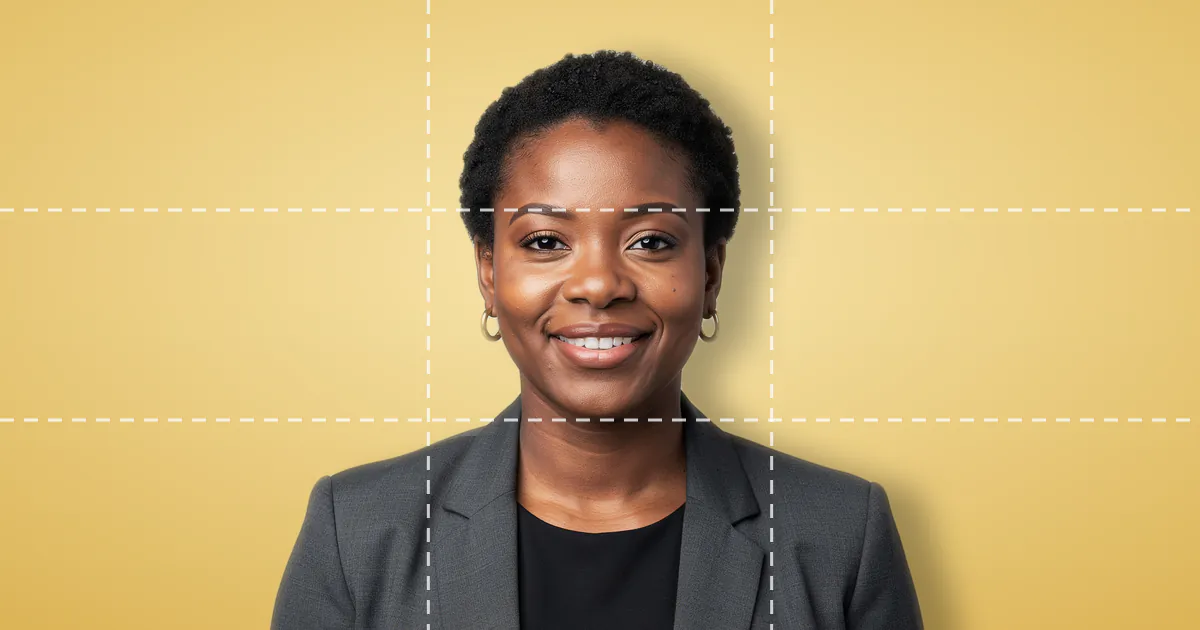
The most common flaw is distance, not ugliness. Head and shoulders must fill most of the frame, with the eye line on the upper third and a crop just below the shoulders. Leave about ten per cent of the height above the head — no more.
Light and background: what gives amateurism away
Two light sources betray an improvised picture: the ceiling lamp, which digs out the eye sockets, and window backlight, which turns the face into a silhouette. A window in front of you on an overcast day beats almost any domestic lighting. As for the background, it should say nothing at all: a plain wall or enough depth of field to dissolve the decor.
Clothing and expression by target role
The right outfit is not the dressiest one: it is what someone already holding the role you want would wear on a client day. A closed smile with slightly narrowed eyes works everywhere. A completely neutral face is rarely read as serious — it is read as distant.
Three ways to get the picture, and their real cost
A smartphone on a tripod near a window is free, immediate and enough for most profiles; its real cost is the difficulty of directing yourself. A studio session buys an outside eye and controlled light, at the price of an appointment and several days. Generation from your own photos buys variety and speed, with likeness entirely dependent on the pictures you send. Plans and lead times are public on our pricing page.
Check your result before publishing
We formalised this review into eleven criteria — three on the face, five on framing, three on rendering. What matters is not the score but the weakest criterion, the one that tells you what to fix. Our free profile picture analyzer applies that grid without keeping your file.
Updating your picture: how often
The rule is factual, not calendar-based: update as soon as someone meeting you might hesitate. A change of haircut, color, glasses or facial hair calls for an immediate update. Otherwise a picture lasts two to three years. To measure the effect, compare search appearances against profile views over thirty days, not raw view counts.
Get a batch of usable portraits
See the plansWritten by
La rédaction
Editorial team
Articles are written by the team that builds Portraitwise. They cover framing, light, tools and image rights.
Read next
Reference page: LinkedIn headshots
Frequently asked questions
Should you smile on a LinkedIn photo?
- Yes, in the vast majority of cases. A closed smile with slightly narrowed eyes is the most universal register. A completely neutral face usually reads as distance rather than seriousness.
What size should a LinkedIn profile picture be?
- At least 400 × 400 pixels, but aim for 1,000 to 1,500 pixels per side to stay sharp on high-density screens, under 8 MB, as JPEG or PNG.
Is an AI-generated picture acceptable?
- Yes, as long as it represents you faithfully. The criterion is not the technique but the honesty of the result: whoever meets you next must recognize you without hesitation.
How often should you change your picture?
- As soon as a change in appearance would make recognition hesitant, and otherwise every two to three years. Changing more often adds nothing and hurts profile memorability.
Your professional portrait, made from your own photos
Send at least 8 pictures of yourself, pick your styles, get a batch of 4K portraits ready to publish.
In the same section
All articles in this section
Seven settings that bring a LinkedIn profile to life
Banner, headline, About section, experience, recommendations: the settings that extend the effect of your photo, and how to measure their impact in thirty days.
The eleven criteria of a good professional photo
Face, framing, rendering: the eleven-criteria grid our free analyzer uses, with its weightings and a ten-minute self-diagnosis method.

Should you put a photo on your resume? Seven mistakes to avoid
Should a resume carry a photo at all? And if so, how to avoid the seven framing, background and clothing mistakes that get applications set aside before reading.